
WeRide Driver App – Quick guide
Learn how the WeRide Driver App works in just 3–5 minutes. Follow the six simple steps and then take the knowledge test.
A driver is activated only when they have passed the course.
The images contain anonymised example data.
Step 1
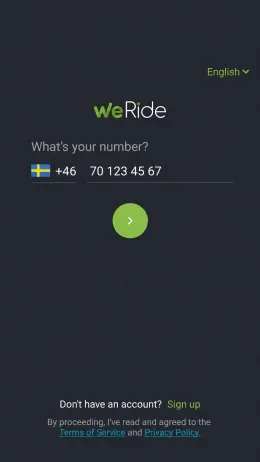
Log in to the driver app
Open the WeRide Driver App and choose Sweden (+46). Enter your registered phone number and follow the instructions to log in.
Step 2
Go online and offline
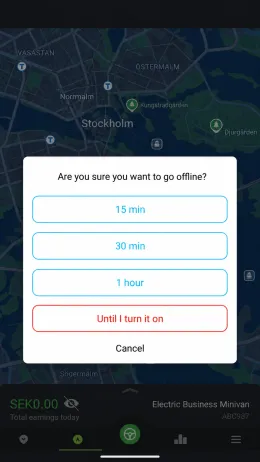
Check that you have chosen the right car. Use the green steering wheel button to change your availability.
When you want a break, you can go offline for 15 minutes, 30 minutes, 1 hour or until you go online again yourself.
Step 3
Accept a ride
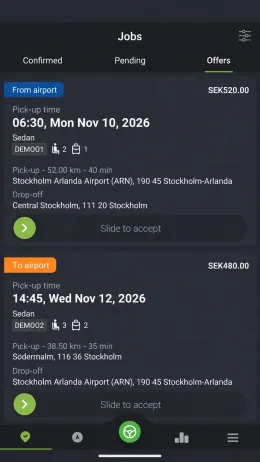
Go to Jobs → Offers. Here you find the available rides.
Check the pick-up time, addresses, car class and number of passengers.
To accept the ride, drag Slide to accept to the right.
Step 4
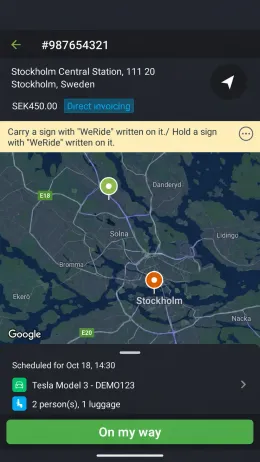
Check the booking
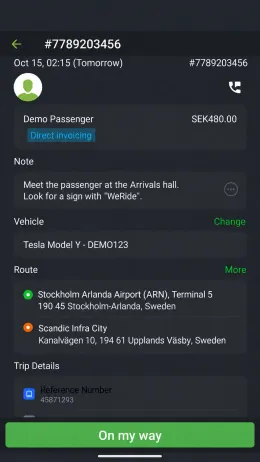
Open the ride and check:
- Pick-up place and destination
- The right car and car class
- Number of passengers and luggage
- The customer’s instructions under Note
- Payment method
If it says Direct invoicing, do not take payment from the customer in the car for the same ride.
Step 5
Tap On my way in time
When you set off to the customer, open the booking and tap the green On my way button.
For pre-booked rides, tap On my way no later than 31 minutes before pick-up.
If the ride has not been started in time, it may go back to other drivers.
Step 6
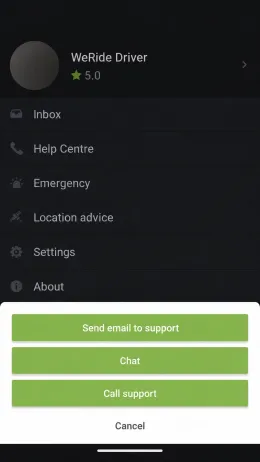
Contact support
If you have a problem with a booking, go to the menu at the bottom right.
Choose Help Centre → Chat.
Give the booking number and describe what you need help with.
Ready for the knowledge test?
Well done! You have now been through the basics of the WeRide Driver App.
The test has 3 simple questions. You must answer all of them correctly to pass.
Enter your name, phone number and the car’s registration number so that we can register your result.
You get the result straight away.
Chat with us
Done with the course, or do you have questions about the driver app? Chat with us now.